Phurpa Tsering
Migrating from Insomnia to Voiden, Without Starting Over
The biggest reason people don't switch API tools has nothing to do with features. It's the years of saved work sitting in the old one. Collections, folder structures, auth setups, environment variables built up request by request. Nobody wants to recreate that by hand, and honestly, nobody should have to.
So let's get the practical part out of the way early: Voiden imports your existing Insomnia workspace and converts it into ready-to-use .void files. Folder structure, headers, query params, request bodies, and authentication all come along. The whole thing takes a few minutes. This post covers what both tools are, why teams migrate from Insomnia to Voiden, the import itself step by step, and the one thing that doesn't transfer automatically.
What is Insomnia, and what is Voiden?
Quick context, so this post makes sense even if you only know one of the two tools.
Insomnia is a desktop API client, originally open source, now owned by Kong. You build requests in a graphical interface, organize them into workspaces and collections, manage environments, and test REST, GraphQL, and gRPC APIs. It earned its reputation by being the clean, fast alternative to heavier clients, and for a long time that reputation was deserved. Your collections live in Insomnia's own internal format, with cloud sync through an account as the default way to share and back them up.
Voiden is an offline-first, Git-native API workspace. Requests, docs, and tests live together in plain-text .void files, which are just Markdown with structured request blocks, stored in your repo like any other file. Auth, headers, and params are reusable blocks instead of settings buried in a UI. There's no account, no telemetry, no cloud dependency, and it's open source under Apache 2.0. It supports REST, GraphQL, gRPC, and WebSockets, each as a plugin you can install or remove.
The shortest way to put the difference: Insomnia is an app that holds your API work inside it. Voiden turns your API work into files that live with your code. Same job, opposite ideas about where your work should live and who controls it.
Why migrate from Insomnia to Voiden
If Insomnia is working fine for you, genuinely, keep using it. Migration for its own sake is a waste of a weekend. But there are a few specific reasons people make this move, and they're worth stating plainly.
Ownership. In 2023, an update pushed accounts and cloud sync into what had been a local tool, and a lot of people discovered overnight that their local workflow wasn't really theirs. The backlash was loud enough to spawn community forks. Insomnia has walked parts of this back since, but the trust question stuck around: if your collections live in someone else's format, under someone else's sync, the terms can change under you. And a lot of us at ApyHub liked Insomnia, some of us used it daily, so this isn't a dunk. It's just what happened.
Version control that actually works. Insomnia's collections can be exported and committed, but the export is a YAML blob, and reviewing a YAML blob in a PR is nobody's idea of a code review. .void files are plain Markdown, so a change to a request shows up as a readable, line-by-line diff. "Added OAuth block, updated base URL" is something a teammate can actually review.
One file instead of three places. In most Insomnia setups, the request lives in the app, the documentation lives in a wiki, and the context lives in Slack. In Voiden, the request, its docs, and its tests are one file. When the request changes, the doc is right there staring at you.
Format longevity. A .void file is readable in any text editor, today and in ten years, with or without Voiden installed. If Voiden disappeared tomorrow, your files would still make sense. That's not something you can say about an app's internal database.
(To be fair: Voiden isn't the only tool built on the ownership idea. Bruno made the same bet and has a migration path from Insomnia too. The difference worth knowing before you pick: Bruno stores requests in its own .bru format, which needs Bruno to be read, while a .void file is plain Markdown you can open anywhere. Choose accordingly.)
Before you export from Insomnia
Two minutes of hygiene in Insomnia saves confusion later:
- Delete requests and folders you know are dead. No point migrating archaeology.
- Check that your environment variables are actually saved, especially base URLs and auth values.
- If you have pre-request or test scripts, take note of what they do. More on those below.
How to import Insomnia collections into Voiden
One prerequisite first: the import is powered by the Insomnia Collection Importer, a community-built plugin. Make sure it's installed in Voiden before you start. That's it for setup.
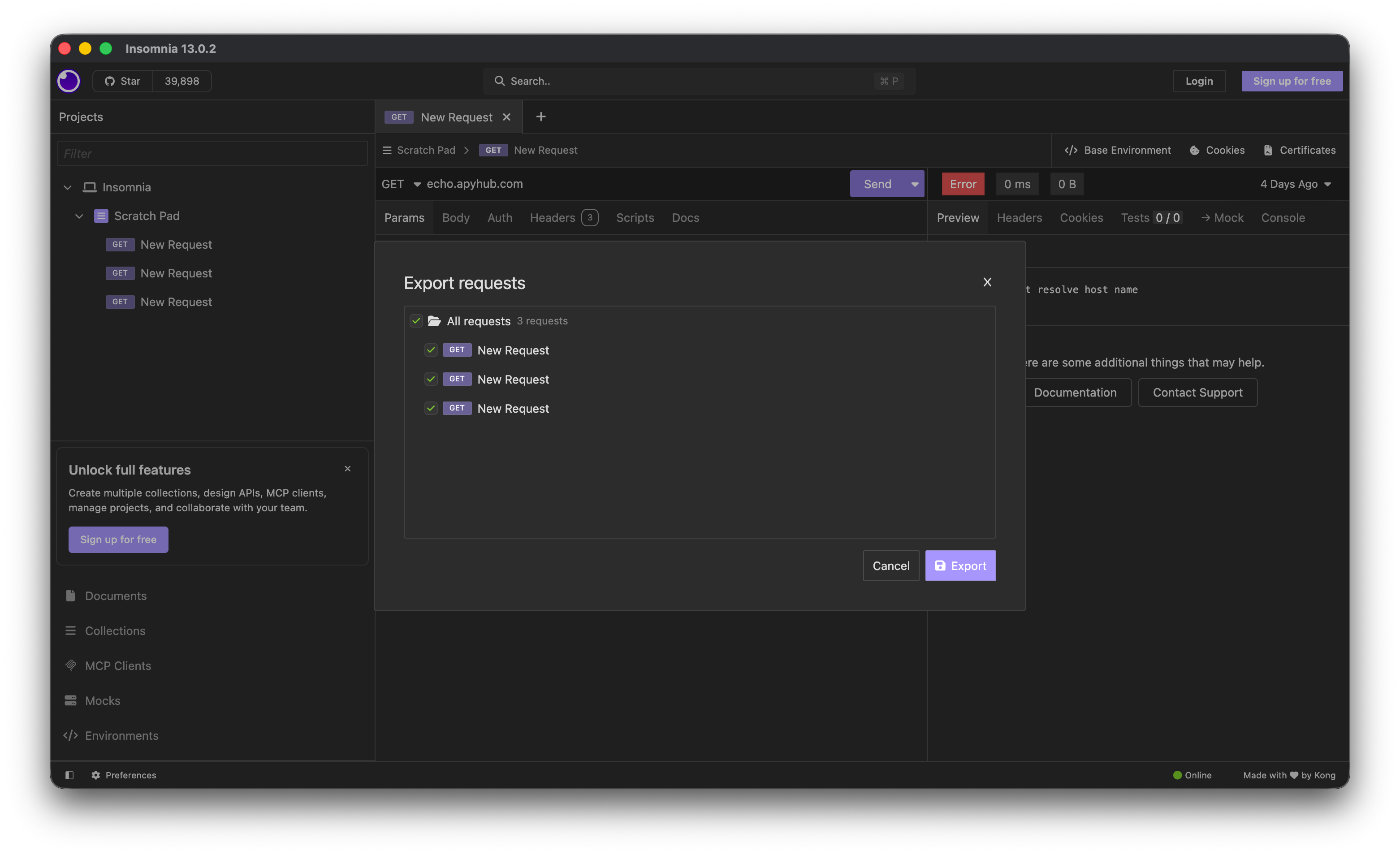
1. Export from Insomnia. Go to Application → Export Data → Current Workspace, and export as Insomnia v5 Yaml.
2. Drop the exported .yaml file into your active Voiden project and open it. Yes, just drop the file in. There's no separate import wizard to hunt for.
3. Click "Import into Voiden" in the top-right corner.
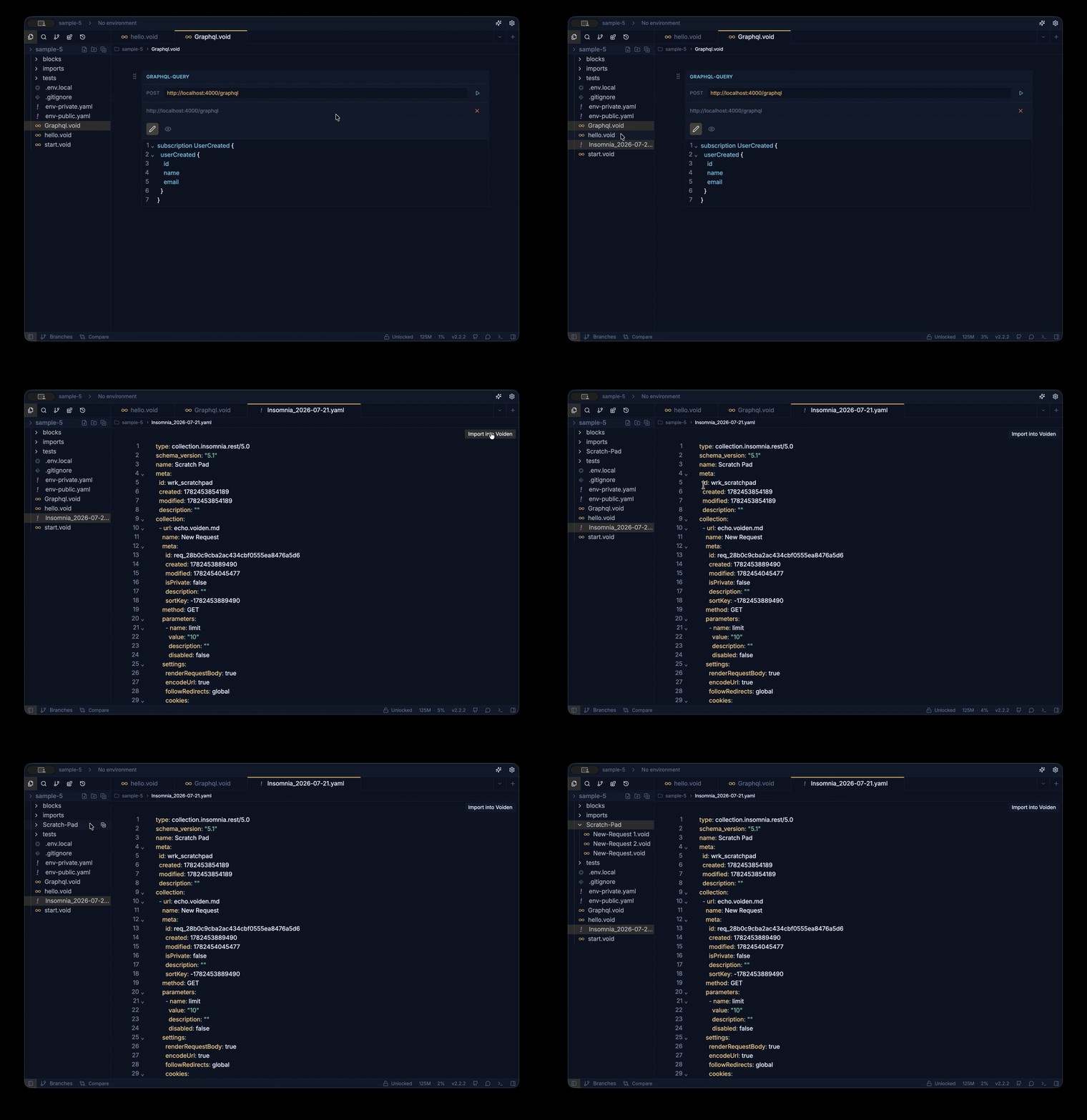
4. Done. Voiden creates a folder matching your workspace name and populates it with .void files, one per request. Folder structure, headers, query params, body types, and authentication are all converted automatically.
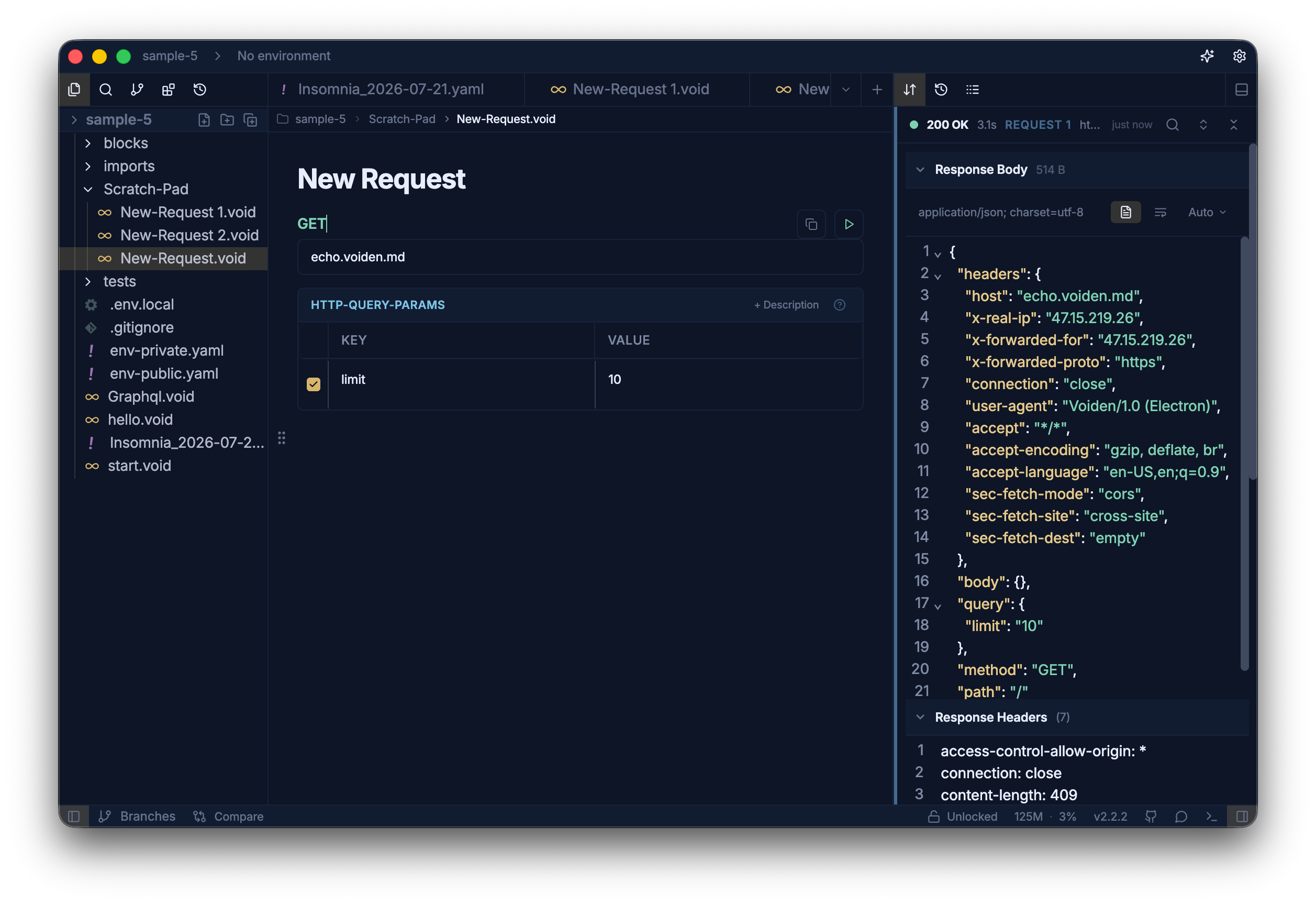
Your entire Insomnia collection is now sitting in your project as plain text. Open any of the generated files in a regular text editor if you want to see what you're now working with. It's Markdown with request blocks, not a database blob.
There's also a short video walking through this exact flow if you'd rather watch it: Migrating from Insomnia to Voiden? Watch This First.
What doesn't transfer: scripts
Requests, structure, and auth convert automatically. Custom scripts don't. If you had pre-request or test logic in Insomnia, plan to rewrite it in Voiden.
I'd call this an inconvenience rather than a loss, and here's why: Voiden's pre- and post-request scripting runs on real interpreters on your machine, JavaScript or Python, not a constrained sandbox pretending to be one. Rewriting a script usually means rewriting it into a strictly more capable environment. Still, it's manual work, and you should budget for it before deleting anything on the Insomnia side.
After the import: verify, then commit
A short review pass, same as you'd do after any migration:
- Run a few key requests and confirm the responses look right.
- Check your environments: base URLs, tokens, anything secret or environment-specific.
- Then the step that makes this whole exercise worth it: commit the imported folder to Git. From this point on, every change to a request is a readable diff in a PR, not a mystery inside an app.
That last step is the actual migration. Everything before it was just moving files.
Wrapping up
Migrating from Insomnia to Voiden is not a rebuild. The Insomnia Collection Importer takes your existing workspace and converts it into organised, editable, ready-to-run .void files, with folder structure, headers, query params, body types, and authentication handled automatically. Scripts are the one piece you rewrite by hand, into real JavaScript or Python instead of a sandbox. What you get at the end isn't just the same collections in a different app. It's your API work as plain text in Git: reviewable, diffable, and yours, no matter what any vendor decides next year.
Next steps
- Download Voiden and open it in the repo where your API code already lives.
- Install the Insomnia Collection Importer plugin.
- Export your workspace from Insomnia as v5 YAML, drop it into your project, and click "Import into Voiden."
- Run a few requests, check your environments, and commit the folder to Git.
- Rewrite any pre-request or test scripts as Voiden pre/post-request scripts, one at a time, as you touch them.
The source is at github.com/VoidenHQ/voiden if you want to see how the importer works. And if the import chokes on something in your workspace, tell us in GitHub Discussions, that's exactly the feedback a community plugin gets better from.
Related Posts
Phurpa Tsering
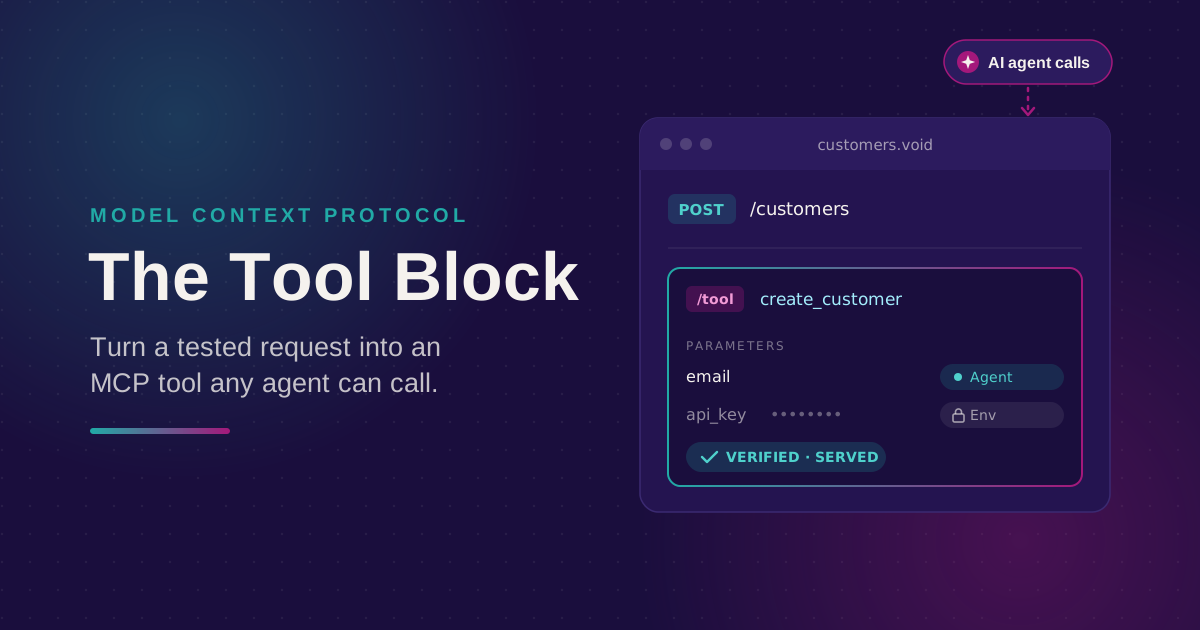
Turn Your Tested API Requests Into Agent-Callable MCP Tools
Turn a request you've already tested into an MCP tool that agents can call, then publish it with @voiden/mcp. Use stdio for local use, or --http/--tunnel for a server you can host.
Phurpa Tsering
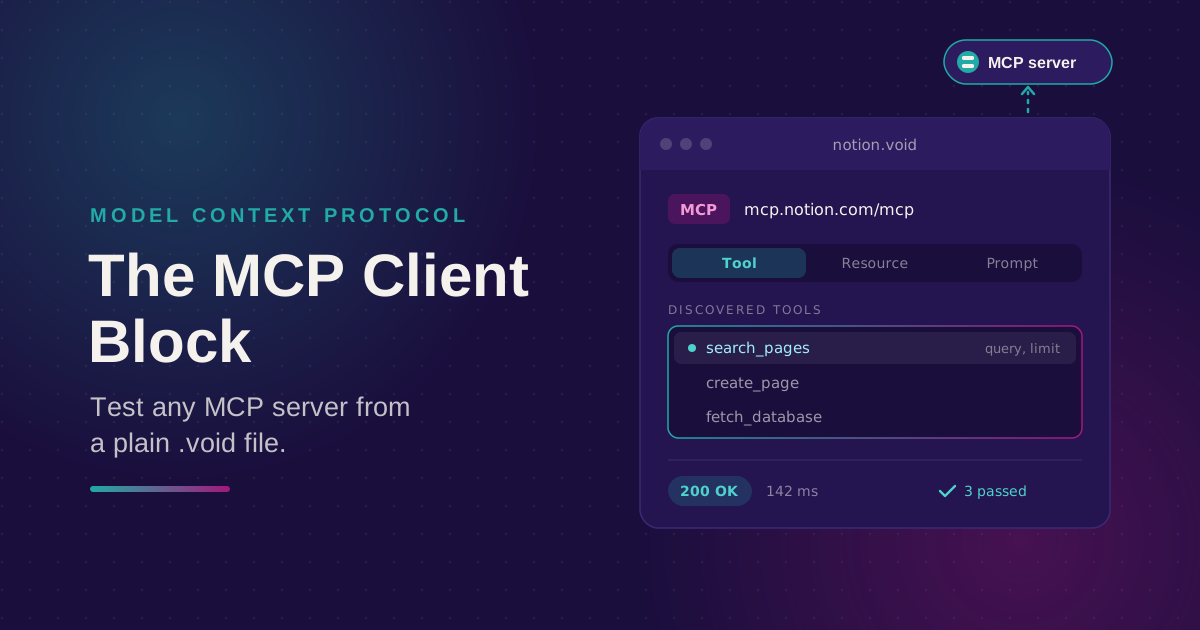
Bring Any MCP Server Into Your API Testing Workflow
Connect to any Streamable HTTP MCP server, browse its tools, resources, and prompts, and call one. Check the response with the same auth and assertion blocks you use for REST, all from a plain .void file.
Phurpa Tsering
Give Your Coding Agent Real Access to Your API Requests
One status-bar button (or one CLI command) registers your project with Claude Code or Codex over MCP, giving your coding agent the same six tools Voiden uses to list, run, and manage requests.